What is AFL?

One of the best things I’ve ever heard about Assessment For Learning (AFL) is:

That sums it up.  AFL is about providing feedback on how to improve in the future (responsive) rather than judgement on what the student has been doing (reactive).

It therefore recognises the importance of the student owning the learning process.

Therefore AFL seeks to:

  1. Start from where the learner is.
  2. Give the student has an active role in the learning process
  3. Make the student aware of the learning goals
  4. Help students learn what standards are expecting from them and help steer them in the right direction
  5. Involve students in self-assessment so they learn what steps they need to take to move towards their goals.
  6. Provide feedback that leads students to recognise their next step.

The main challenge may be generating feedback during the learning, rather than after students have completed an activity. So this is something one may need to consciously plan for and reflect on.

Feedback should focus on telling students what they did right, and what they lost points for.

Feedback should seek to answer questions like:

  • What are the goals?
  • How am I doing?
  • What do I do next?

Students can use co-constructed success criteria to review their work and identify where they have made an error or not fully met the expectations of the learning.

Feedback should get students to think: students need to be cognitively challenged and need to engage with the feedback if it is to help develop their learning. 

The DIRT method is a feedback strategy used to help students improve their work. DIRT stands for:

Dedicated Improvement and Reflection Time

  • Dedicated: Time is set aside specifically for feedback and improvement.
    • It may involve students in identifying how they are doing. Students are shown the criteria and asked to review the teacher’s comments on their work. They then choose three of the criteria they have achieved and explain how they know this.
  • Improvement: Students act on feedback to enhance their work.
    • This may involve students in identifying the actions they need to take to improve their work. Students are shown the same criteria and asked to identify the action they should take to improve their work.
  • Reflection: Students think about what they’ve learned and how they’ve improved.
  • Time: It’s not rushed—students are given meaningful time to engage with feedback.

Teachers typically use DIRT after marking work, allowing students to respond to comments, correct mistakes, and deepen understanding. It encourages active learning and growth mindset.

Students need to become involved in the evaluative experience The transition from teacher-supplied feedback to learner self-monitoring is not something that comes about automatically.

Characteristics of effective feedback

  • Discusses learning not tasks – related to where students are going, how they are doing, where to next;
  • Is medical and not a post-mortem i.e. is about improving the learner not their tasks;
  • Discusses the success criteria (quality), highlights errors, misconceptions/misunderstandings, and actions to take;
  • Uses open questions to encourage students to do the thinking;
  • Raises aspirations, efforts and motivation through high expectations and belief in potential;
  • Moves from task performance towards task process and self regulatory levels, not the self level;
  • Supports students to react in a way so they increase their effort or raise their aspirations;
  • Is conducted as a two-way processes which supports students as learning apprentices in becoming experts and owners of their own learning.


What skills will I need?

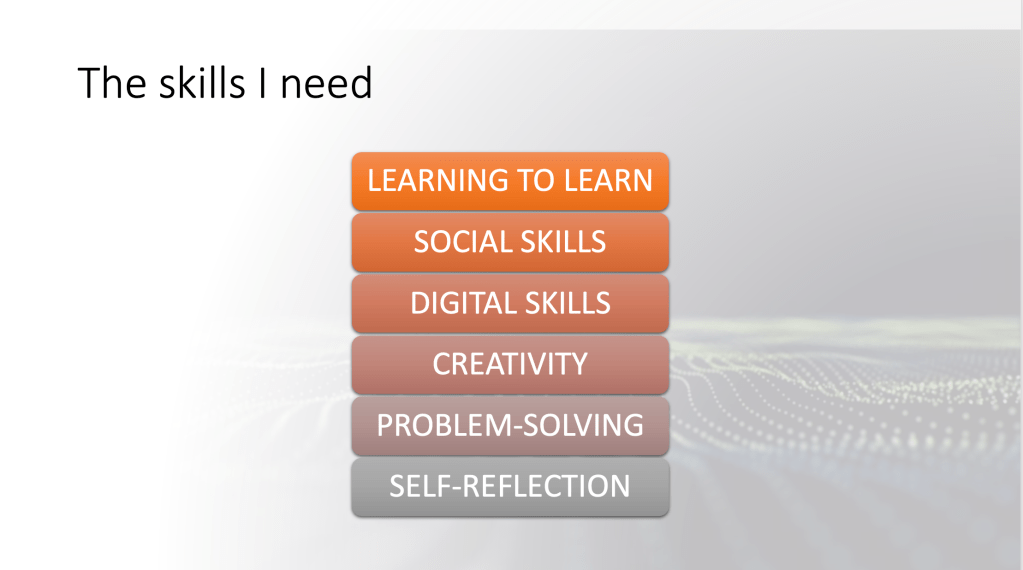
At the start of the academic year I encouraged students to consider 21st century reality in terms of both the professional and the personal sphere. We outlined how life today differs from the reality of say 3 or 4 decades ago, and how in the coming decades it will likely continue to evolve or radically change.

Then through a class discussion we extracted some of the skills we felt were an important part of the toolkit of today’s teenager. We made a list of these skills on the board and briefly discussed each of them.

Students were then invited to consider how we can work on developing these skills through our Computing lessons. We discussed points students brought up from their school experience to get things started, and then students were asked to list their own ideas on a mentimeter.

On the mentimeter, students are asked to name a skill they aimed to improve and at least one type of activity we can do to work on that skill. At this point students worked in pairs.

Finally we briefly discussed some of these ideas and decided which we can in fact incorporate in our lessons this year….basically we felt all ideas were valid.

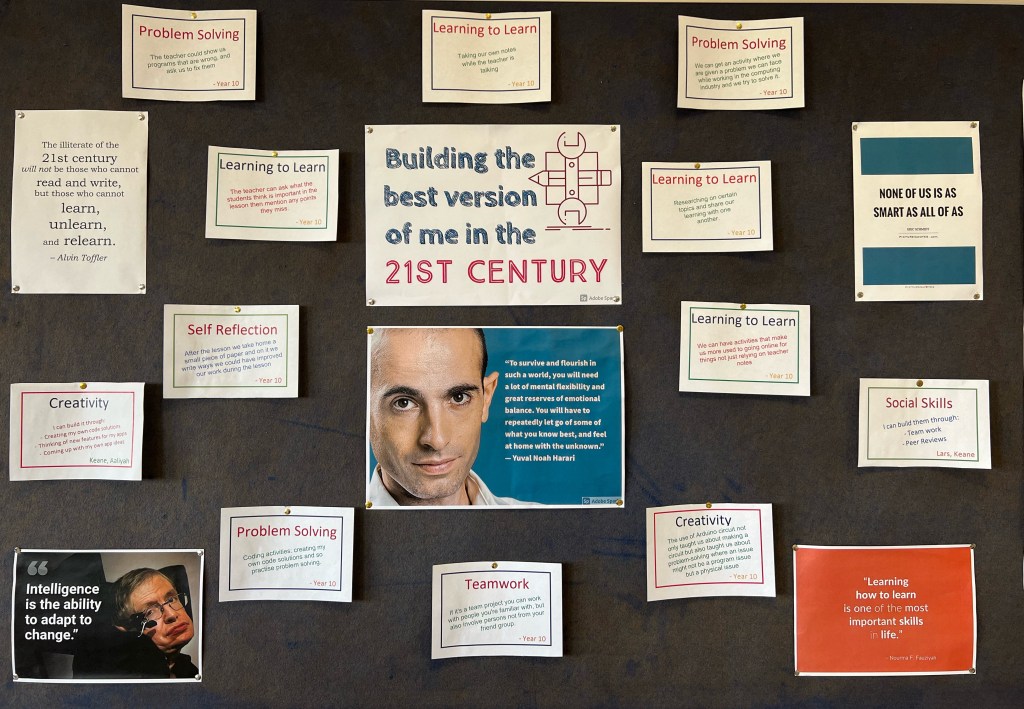
After the lesson, I went over the students’ points on the mentimeter and compiled their ideas to set up the board in the photo.

Why the board is important

For the students, this board is a reminder of the skills we’ve discussed.

For me it’s just as useful. It is both a little trove of ideas and, more importantly, a gauge against which I measure my lesson plans and the degree to which they nurture 21st century skills…If my lesson doesn’t tick at least one of the boxes, normally it’s back to the drawing board and some more rethinking!

MS Teams (& Co)

The Covid-19 situation did not just force us inside but also forced us out onto the internet even more, looking for new ways to reach our students…some of the things that worked were not new at all and some of the new things we found we will carry with us beyond the Covid-19 (sur)reality.

For me (and I’d guess I’m very unoriginal here), one of these things is MS Teams. It was initially the environment I defaulted to on account on its use having been encouraged by local educational authorities. Using it I discovered just WHY this was so!

The short answer is MS Teams is awesome.

The long answer is best handled in sections:

  1. MS Teams lends itself beautifully to Assessment for Learning
  • I can send students reminders of their work
  • I can add details to the assignment description following queries
  • I can review work handed-in before deadlines and make comments and ask questions that will allow students to improve on their work
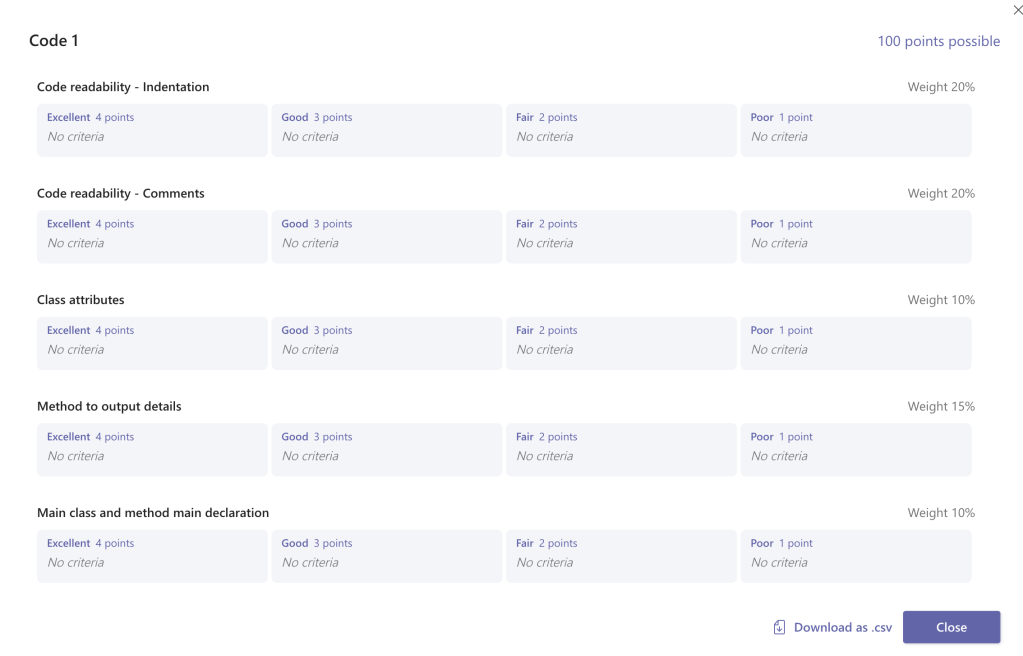
  • I can easily and cheaply create detailed rubrics that guide students in their work answers
  • I can re-use my rubrics across similar tasks
  • It takes far less hassle to give students a break-down of their marks, allowing them to better assess the strengths and weaknesses of their work.

2. We can have all stake-holders involved more easily.

MS Teams easily lets us create a platform where teachers, students and care-givers can share in the learning experience

As more and more teachers use MS Teams, it is so easy to get new students on board as they would already be used to its environment from previous experience.

3. MS Teams plays very nicely with MS Forms

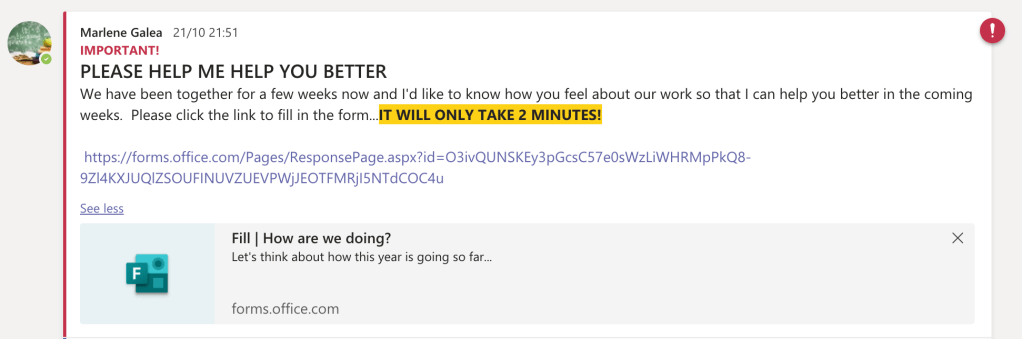
MS Forms is an excellent way of getting feedback about students’ learning experiences as well as assessing learning. The ease with which these forms can be shared on our class teams make them extremely usable and hence allows us to keep an ongoing pulse on our students’ learning.

In times of remote learning (be it through live lessons, recorded lessons or any other form of home lessons), when other forms of assessing learning may not be so easily doable, this can still help one keep a finger on the pulse of one’s students learning.

4. MS Teams plays very nicely with MS Stream

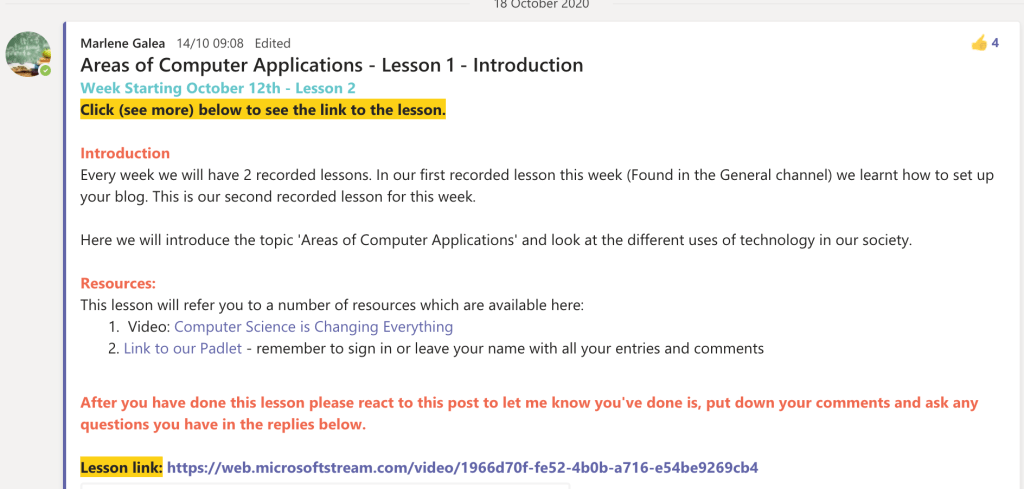
Recording lessons was an entirely new experience during Covid times and MS Teams easily allows one to record lessons, trim them and set viewer rights within a private environment. As a streaming service, it doesn’t provide many editing features but by running so smoothly through MS Teams it really helped increase my productivity at a time when I’m reinventing learning experiences and every hour counts.

5. We can be prepared.

We have moved on with a realistic acceptance that we may need to teach remotely again in the future, so we realise the importance to be ready for such eventualities. Having our class already connected through MS Teams and having as many of educators already using the same platform could smoothen any such transition.

And pandemics are not the only thing that can get in our way: long-term or short-term student sickness for one, can make having an online presence on MS Teams helpful!

Other baskets

I will still seek to have alternatives up my sleeve: My lesson blogs and websites will always be there – even if now they are also tabs on our class MS Teams. I don’t think it’s ever wise to have one’s whole methodology centring around a single platform – we all remember our occasional off days when MS Teams is undergoing some form of major overhaul or the AWS downtime.

In conclusion

So, yes, MS Teams may be more of A tool rather than the tool, but it sure is one great tool! For me, it is definitely one of the discoveries that has meant the Covid-19 experience might leave us better educators than it found us.

Moving Forward

  • I think setting up my team on Ms Teams will be one of the first things I do at the start of an academic year in the coming years, as it is an asset to my methodology.
  • It would be an interesting exercise to work with students in co-constructing assignment rubrics.
  • [processing ideas]

Class Projects

Project-Based Learning allows my students to learn by actively engaging in real-world and personally meaningful projects. It provides them with a context in which to grow by creating a product for a real audience.

In our project work, I make an effort to introduce elements of the emergent curriculum by ensuring that the project itself is always one chosen by the students. Thanks to this, I have found myself dragged into exploring some very intriguing problems over the years.

These projects allow students to develop deep content knowledge as well as critical thinking, collaboration, creativity, and communication skills…and the creative energy they unleash is contagious!

Coding Projects

A City for the eAges

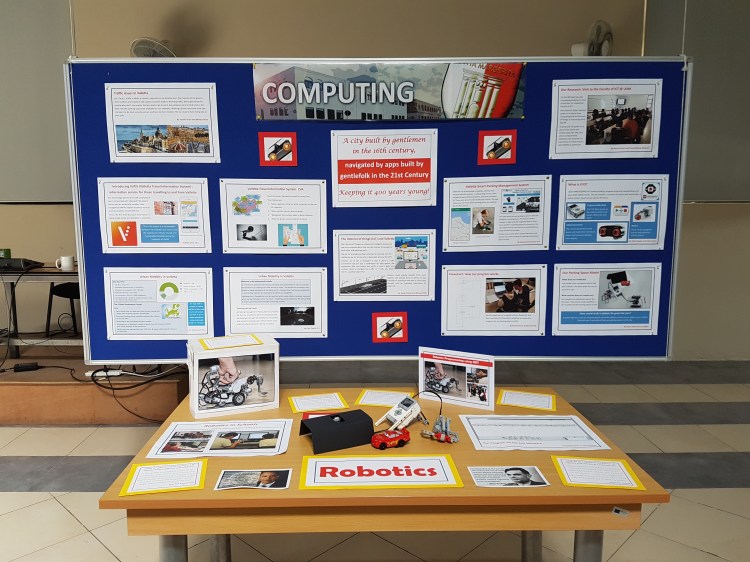
This was a robotics project developed after our exploration of how code can help improve traffic and parking in a busy city like Valletta.

Verduino @ Verdala

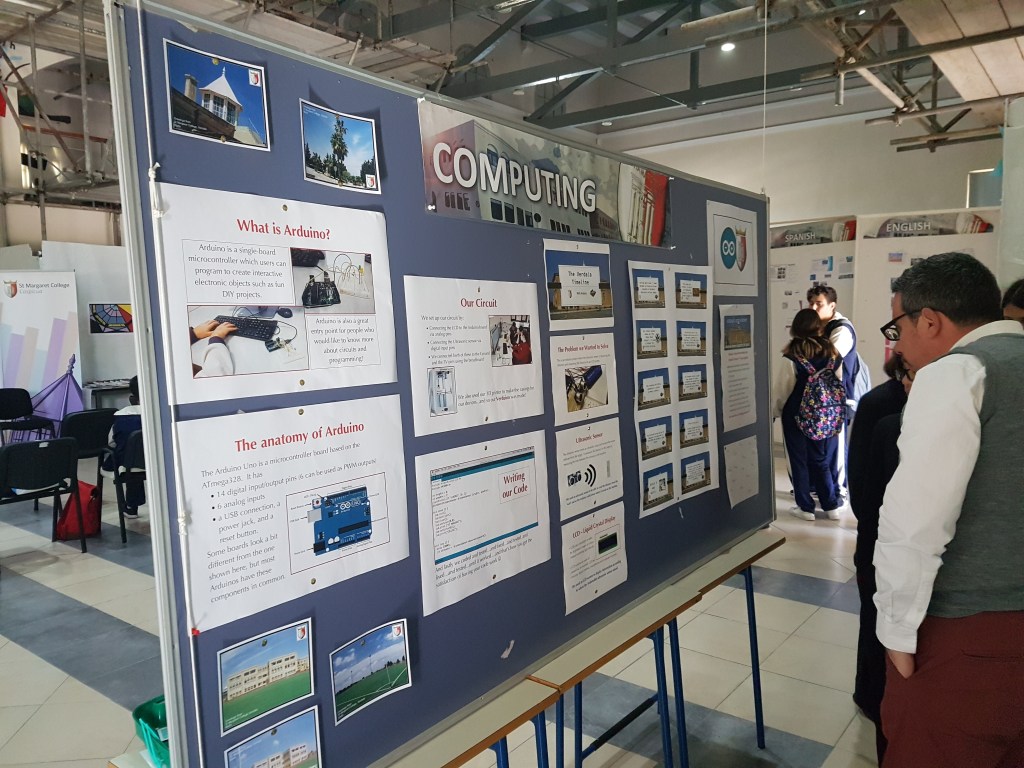
Here students created a game from the timeline of our school’s history that ventred around their Arduino-based robot, which they called Verduino

Open a Window for Peace

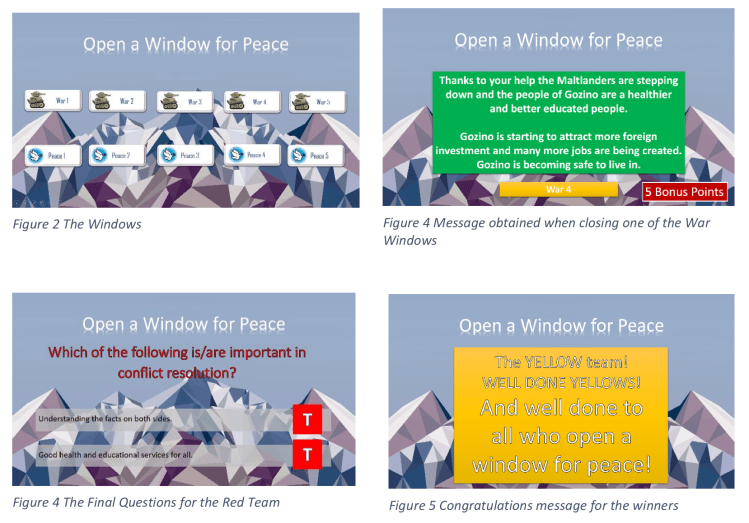
While not a coding-oriented project, this project might be one worth revisiting as a coded project.

Other Projects

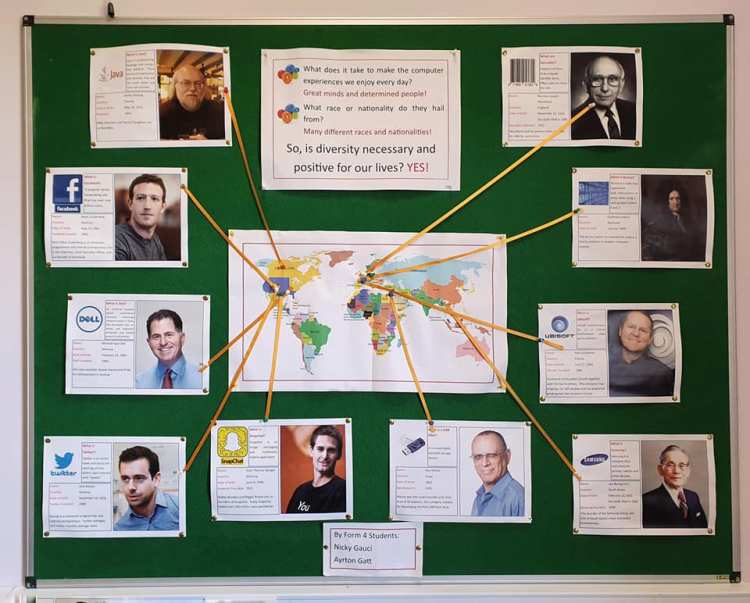
Who dreamt my tech?

This was a project my students submitted for a school exhibition on diversity.

Teaching Coding

Why Code?

“Everybody in this country should learn to program a computer, because it teaches you how to think.”

Steve Jobs

I don’t think coding is central because I am a Computing teacher, but rather that I am a Computing teacher because I am aware of the importance of coding and technology education.

It is beyond sad that coding is mainly the remit of Computing rather than a basic literacy belonging the the realm of education in general, because all children need to be aware of the degree to which their life is governed by code. You learn to code in order to understand how life around you is governed by codes and also how better or more ethical code can make it better. This has serious ramifications in both commercial and political spheres and goes well beyond realising that code decides what Netflix will suggest you watch this evening! For a clear exemplification of this, one may need lookno further than this article where renowned historian Yuval Noah Harari gives us his take on how code can be used, misused and abused in a pandemic reality.

Secondly coding is arguably one of the subjects most condusive to the teaching of 21st century skills.

On Methodology

This puts the onus on us Computing teachers to get the teaching of coding ‘right’…and perhaps this is the most important journey for the Computing Teacher.

Article on Teaching Coding Methodology


Coding Games

That’s what games are, in the end. Teachers. Fun is just another word for learning

Raph Koster

There is a wealth of resources out there that can give anyone a glimpse of what it is to code. These resources can give educators ideas for their leassons and can also help the absolute novice self-learn at their own pace.

Here I’m only linking three such resources, but a quick Google search can yield many more.

These apps lend themselves beautifully to a gamified approach…and this makes one reflect on the ease with which learning to code itself lends itself to gamification.

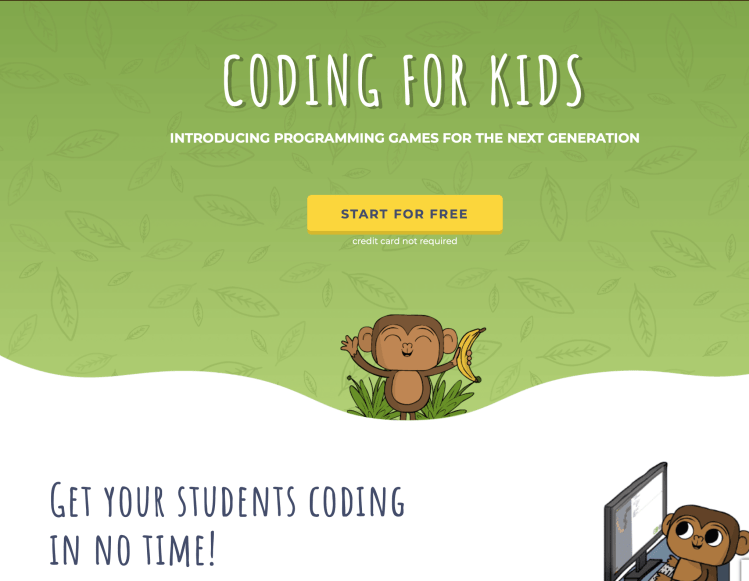
Starting Out: Playcode Monkey

Click here to start

CodeMonkey is a fun online game that teaches students how to code. Students have to direct a monkey to catch his bananas, while measuring angles and distances and eventually progressing from simple sequences of instructions to decisions and loops.

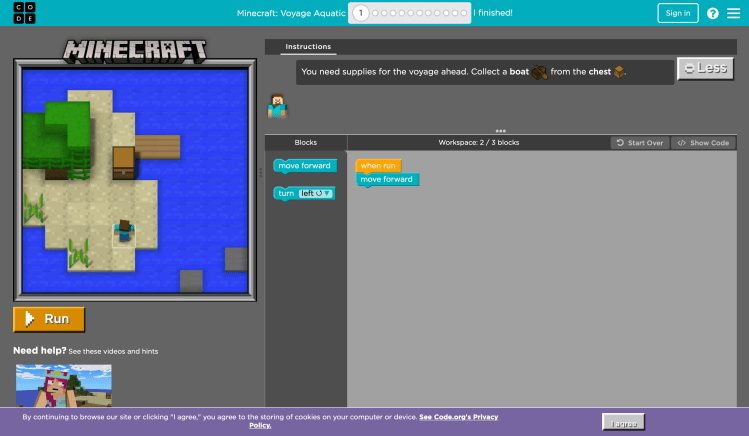
Code at Any Level: code.org

Click here to start


The perfect place for anyone to start coding…and continue coding…

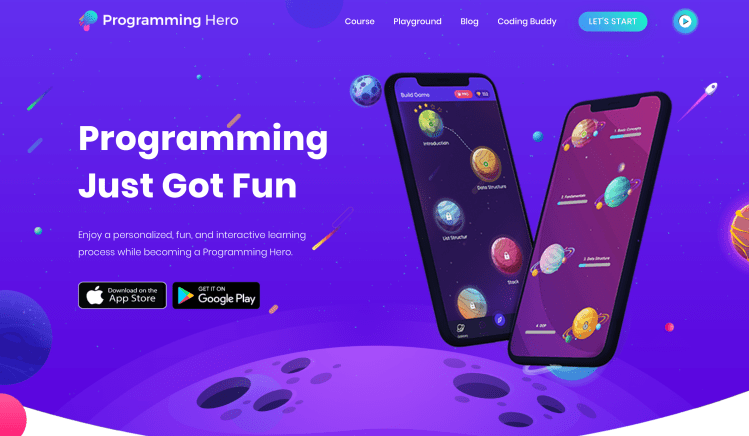
Start Python: Programming Hero

Click here to start


Enjoy a personalized, fun, and interactive learning process while becoming a Programming Hero.

I enjoyed this because it provides examples from real-life scenarios as it introduces basic coding.

Empire!

This exercise aimed to gamify working out past papers and its game structure can be adapted for different types of revision work.

Gameplay

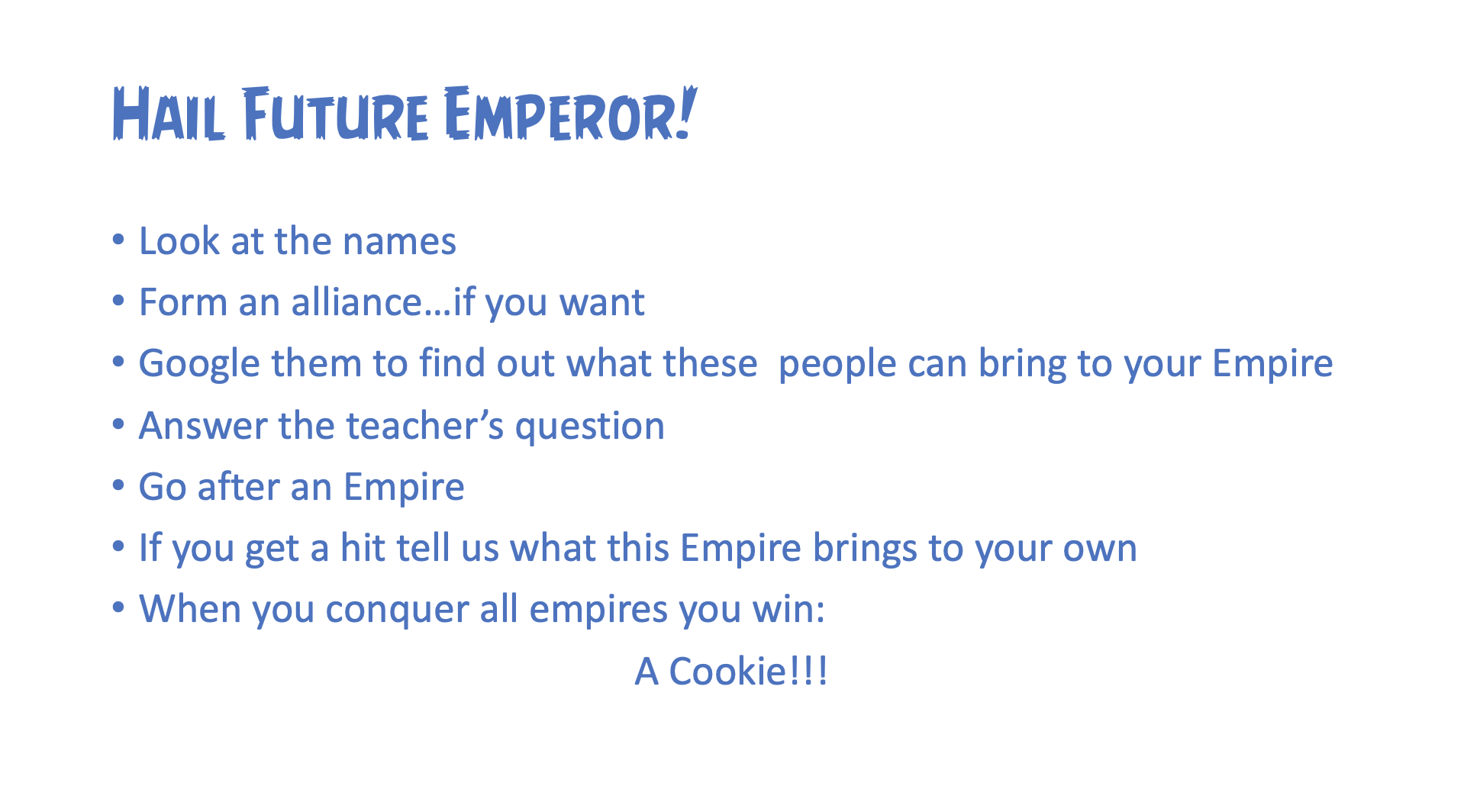
  • Students are given a brief description of the game.
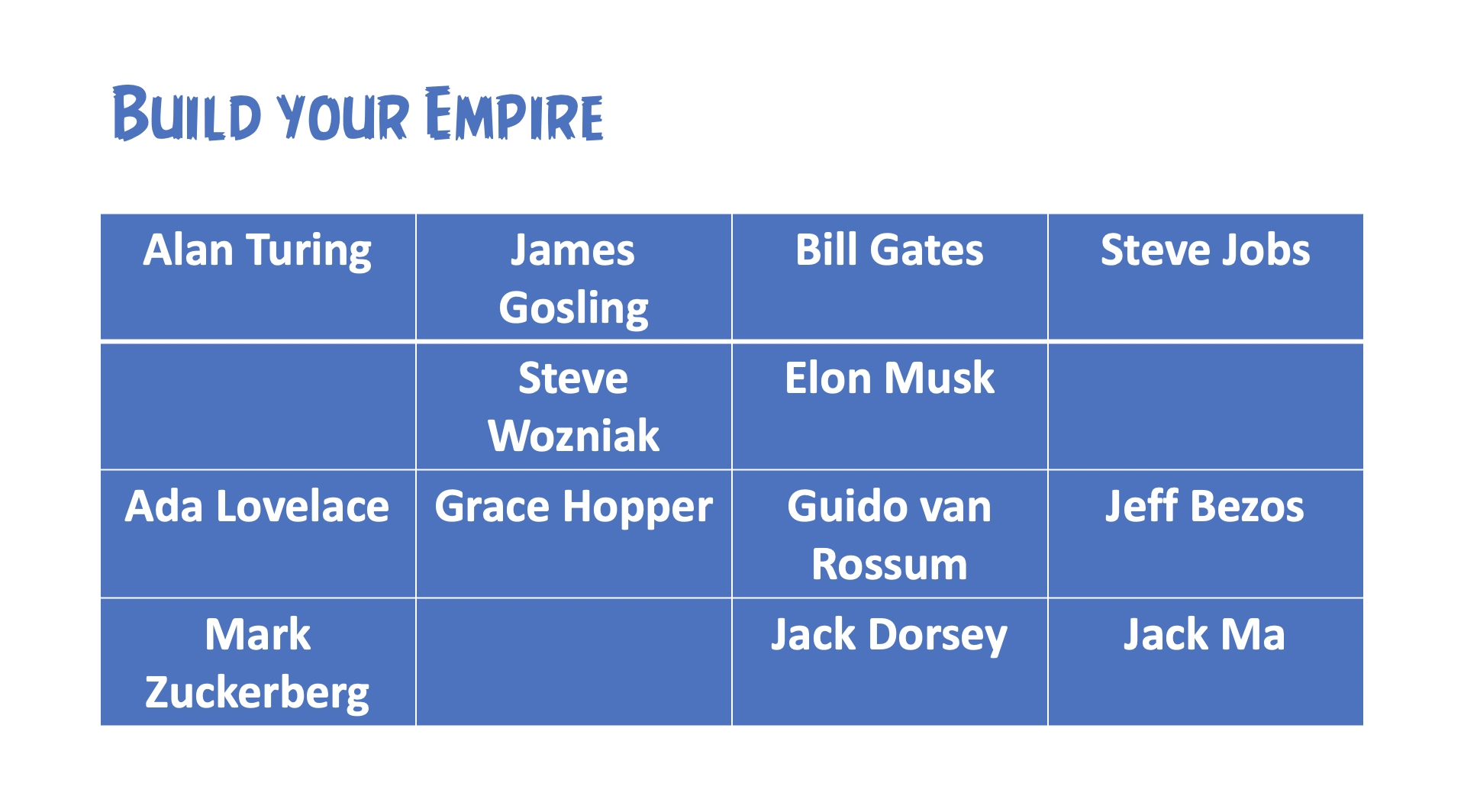
  • Students have two minutes to memorise a list of great names in Computing;
  • Then students have 2 minutes to list as many names as they remember and decide if they would like to form an alliance with a friend to share the names on their list;
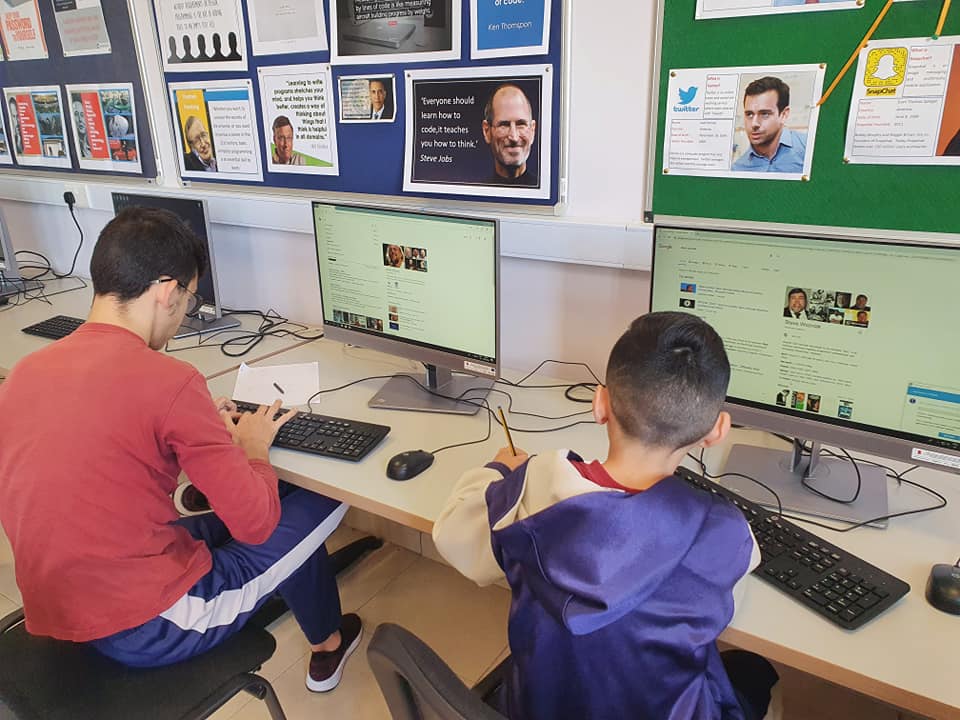
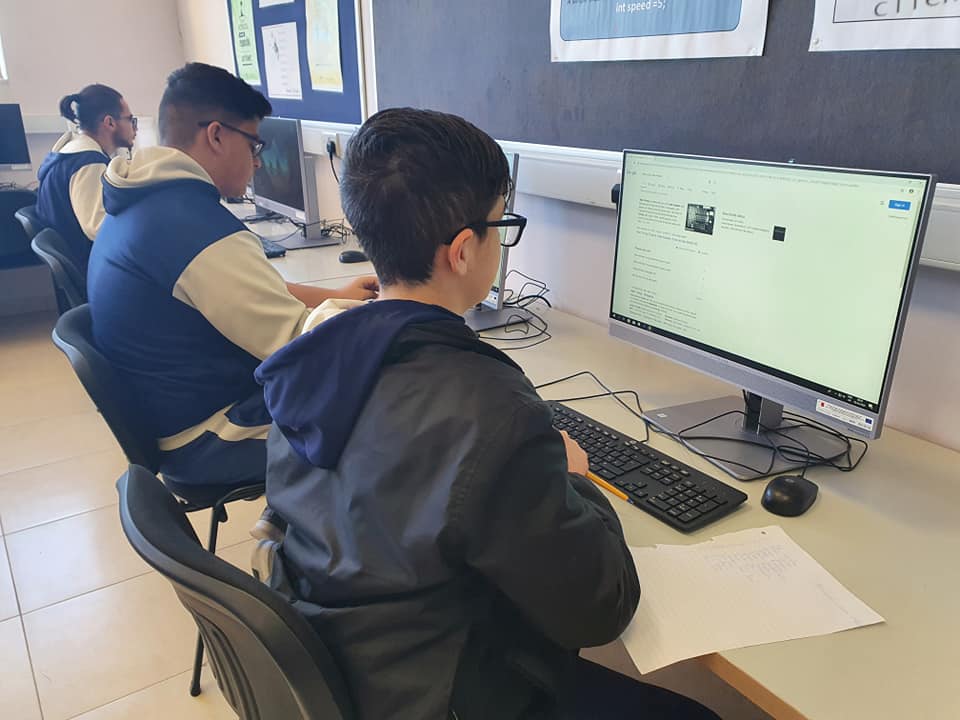
  • Students are then given 10 minutes to Google each name on the list and decide what each person can bring to their Empire (e.g. Facebook, Twitter etc.);
  • The teacher then gives each student a secret identity as one of the people on the list (e.g. on a piece of paper)
  • The teacher asks the first student a question and if he gets it right he gets to ‘attack’ a class mate’s empire by:
    • guessing who that student is
    • if he guesses right, he also says what that person will bring to his Empire (e.g. Microsoft, Twitter etc.)
  • If the student guesses right, his classmate will have to join his Empire and will hitherto belong in his Empire.
  • Gameplay continues until one student has conquered all Empires.
  • The game continues until one students has conquered all the class and is crowned class Emperor.
  • To further gamify the experience:
    • Random timers are set during the game: when a timer goes off, the student being questioned gets to choose an Empire to break up.

Moving Forward

Students found this activity very morivating and got into the competitive element. The activity took two double lessons.

The Flipped Classroom

A lot of my efforts have a common denominator: moving away from the teacher who tells, to the enabler who’s students are doing. That sounds prosaic I suppose, but generally as I plan lessons one of my guiding questions is: ‘what are the students doing for most of the lesson?’ If the answer involves something passive like ‘listening’, that generally means I am adopting a one-size fits all method of teaching and likely my students are not only not getting the best lesson they can get but may be becoming increasingly demitovated.

So generally if the answer is ‘my students are listening for most of the lesson’ it means I need to rethink that lesson.

In a mixed-ability classroom, and in any classroom where students are seen as individuals rather than a faceless ensemble I suppose, the flipped classroom is arguably the best tool for helping all students reach their best potential…in the ideal situation at least.

To date my only issue with the classical notion of the flipped classroom is that to me it seems to shortchange students who are somehow disadvantaged in their after-school reality…and yet the flipped classroom model is just too good to miss out on. So, even though I rarely implement the “classical” flipped classroom model, elements of it have found their way into my practice…I suppose as they naturally would in any student-centred learning.

To a great extent, a lot of the pedagogic journey described in this blog is in fact the journey of a teacher finding her voice as a guide on the side because she knows the sage on the stage has no place in the 21st century classroom.

I’m not there yet. I have to find more ways of inverting the classroom dyad , or rather I need to make this more of an innate practice rather than the conscious effort it sometimes is.

“Flipping the classroom is more about a mindset: redirecting attention away from the teacher and putting attention on the learner and the learning.” 

Aaron Sams, Flip Your Classroom

When a pandemic flipped my class for me

The early 2020 Covid-19 pandemic and the ensuing school lockdown meant we found ourselves in a quite unprecedented situation where the flipped classroom seemed the best solution. Particularly within realities where not all households had one device per child and internet connections were not always reliable, I found myself using live sessions in much the same way that class sessions are used in the flipped classroom.

See my lessons on Teleskola.mt (Computing – Year 9 – Input & Output Devices, Strage Devices) for some material that can be implemented within a flipped classroom reality.

The change of the structure of option subject lessons to 2 in-class and 2 recorded lessons per week was also a situation that in itself lends itself to the flipped mindset.

Blog entries which lend themselves comfortably to the flipped classroom:

Trivial Pursuit

In ‘A New Culture of Learning’ the authors highlight how play is not only key to childhood but can be central to adults thriving in the twenty first century: and this is just one of a myriad arguments for a gamified approach to learning. A sense of continuity and purpose to students’ work is a…

Computer Games

A teaching activity designed to give just-in-time knowledge can keep learning relevant to a problem being tackled and the sandbox in the early stages of learning can give students the confidence to experiment…and that is essentially the type of learning games provide. Hence, I like to introduce students to a topic via a game. Often…

Beyond Copy/Paste

Introduction One of my major concerns is helping my students improve at research: facile as it seems, they need to be able to not only find and copy/paste information: they need to be able to filter and apply information to synthesise their own work. I have tried to engage students with research work in various…

Class Projects

Project-Based Learning allows my students to learn by actively engaging in real-world and personally meaningful projects. It provides them with a context in which to grow by creating a product for a real audience. In our project work, I make an effort to introduce elements of the emergent curriculum by ensuring that the project itself…

You made it!

One awesome thing about having internet-enabled devices at hand is that it is so easy (and affordable!) to implement a ‘take your own route to making it’ approach to assessment, allowing students to work their way towards correct answers without being penalised for their mistakes on the way. Of course the element of trial-and-error necessitates…

Blog 4 Coding

Teaching coding to a mixed-ability group can be very challenging. However our blog allowed me increased flexibility as outlined here. Providing resources for self-learning Self-learning is not only a 21st century skill but a particularly key skill for any programming. This lesson structure allowed me to encourage self-learning in my students, started from the very…

Beyond exam marks

This exercise aims to increase the learning value of Half-Yearly Exams/tests etc, and is generally carried out in the first lesson after the exam/test session or as close to it as possible. Part 1: Paper Review Students are given a blog link with the marking scheme for the exam as well as a hardcopy exam-review…

The Code Factor

I don’t do enough peer reviewing and the main reason is that I am apprehensive of the impact it could have in a mixed ability group. I felt more comfortabel using it in a pull-out session for students who opted to participate in a coding competition. These students were ‘academic peers’ and I thought this…

Lift Off

MSTeams 4 VLE

After considering Fronter, Edmodo and my existing blog-centric methods among others, I realised that MS Teams would probably be the best platform round which to structure our course.

  • With the 2020 learning-from-home experience, most students are already familiar with MSTeams
  • MSTeams will also allow me to gather all my usual resources on one platfrom
    • My website
    • Our blog
    • Class Dojo
  • MSTeams will allow me to add parents as guests

Hence before the start of the academic year I would like to have class lists, student emails and parental emails at hand in order to set up these teams including:

  • Introductory note
  • Relevant consent form/s
    • Live lessons, potentially involving mic and cam in the event of learning-from-home
  • Class Dojo, website and blog tab
  • Files:
    • Trivial Pursuit Presentation (see below)

Class Dojo

At the start of the course I want to establish a “sense of mission” aimed at helping engage students and to communicate a sense of purpose.

I think it would help to have something similar to Save Silicon Valley running alongside our class activities. Following a brief trial run in 2019/20, I am considering Class Dojo.

Student Blog

As early in the academic year as possible, students set up their own blog and a repository of links to student blogs is created on a common space (e.g. class VLE)

(Not So) Trivial Pursuit

I intend to launch this game again this year, with Year 9 students.

[Idea hunting] [In progress]

Lesson Structure

This entry is a collection of ideas for new learning experiences.

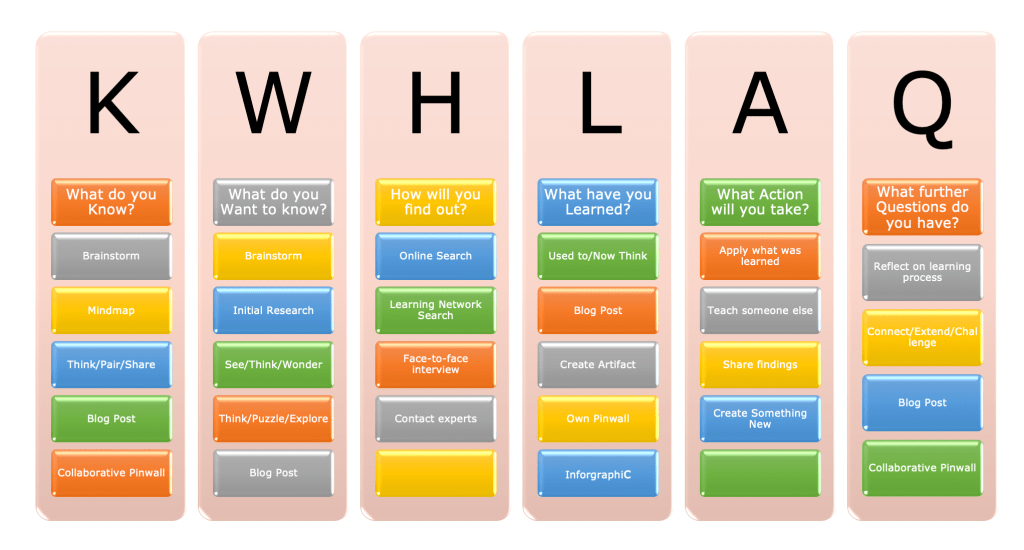
Sneaking in the H, the A and the Q into the KWL lesson

KWLHAQ Learning Activities

Lesson Introduction

  • Review of prerequisite learning.
  • Setting of short statement of goals.
    • Thoughts on doing this at topic level rather than lesson level?

Learning Activities

  • Guide students during initial practice
  • Provide assessment criteria

Constructivist Learning Activities

  • Guided Discussion
  • Problem-based Learning & Inquisitive Learning
  • Peer Teaching
  • Jigsaw
    • introduction
    • focused exploration
    • reporting and re-shaping
    • integration and evaluation

Assessment for Learning

Methods of Assessing

Correcting Mistakes

When students make mistakes, they must know:

  1. that their response was incorrect,
  2. why the response was incorrect, and
  3. how to get the response correct.

Lesson Conclusion

  • Students reflect on outcomes using feedback sheets
  • Students self-assess their understanding

Moving Forward

[Processing ideas] It may be very profitable to reflect further on KWLHAQ activities and structure learning activities within the generic notions outlined by the model.

Design a site like this with WordPress.com
Get started